You can increase or decrease the Cloudflare security level from cPanel.
Cloudflare has categorized the security level in five methods. In the below screenshot, you can see it in detail.
How to increase or decrease the Cloudflare security level of your domain?
1. Log in to your cPanel account.
2. In the Software section, click on Cloudflare.
3. Click on Sign in Here to access your Cloudflare account.
4. Click on Settings in the menu.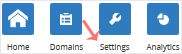
5. In front of the Security Level, you can see the drop-down menu. Choose the appropriate option from the drop-down menu, and your settings will be automatically saved.
