➤ Anmelden | |
TPC Hosting Support
Support-Center
Es gab ein Problem beim Laden der Kommentare.

How to Set a Preferred Payment Method in PayPal

HelpDesk  »  Wissensdatenbank  »  Artikel betrachten

  Drucken

With multiple Debit or Credit cards, you can set your proffered payment method in PayPal.

1. Log in to your PayPal account.

2. On top of the menu, click on Wallet.

3. Click on the card you wish to set up as the preferred payment method from the left side.
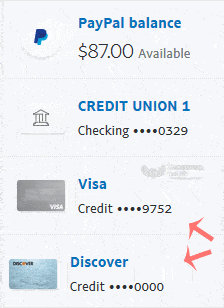
4. Find Set as preferred and click on it.


Teilen über
Fanden sie diesen Artikel hilfreich?  

Ähnliche Artikel


Kommentar

hinzufügen Kommentar

Antworten an  

Kategorien