If you are getting spam emails from the same domain but with random email users, you can block that domain in DirectAdmin.
1. Log in to your DirectAdmin Account.
2. In the E-mail Manager section, click on SPAM Filters or type SPAM Filters in the navigation filter box, and the option will appear. Click on it.
3. Under Block By, select the Domain option from the drop-down menu.
4. In Value, type the domain name without HTTP or www.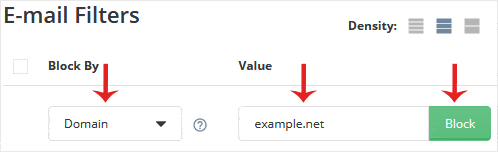
5. Click on Block.
If you want to block additional domains, repeat steps 3 to 5.
