➤ Autentificare | |
TPC Hosting Support
Centru de suport
A apărut o problemă la încărcarea comentariilor.

How to Change Your Email Password in SiteWorx

Portal de suport  »  Bază de cunoștințe  »  Vizualizare articol

  Tipărește

You can change your email password in SiteWorx through the following steps:

1. Log in to your SiteWorx account.

2. In the Email section, click on Mailboxes.
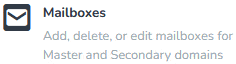

3. Click on the Pencil icon showing next to the email account.

4. Enter the new password or click on Magic Wand to generate one.
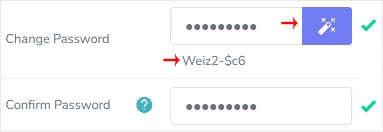
5. Click on Save.


You should see a success message.


Distribuiți prin
Ați găsit acest articol util?  

Articole similare


Comments

Adaugă Comment

Răspuns pentru  

Categories