Follow this tutorial to link your Debit or Credit Card to your PayPal Account.
1. Log in to your PayPal Account.
2. On top of the menu, click on Wallet.
3. Click on Link a card.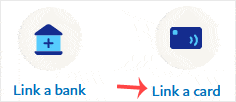
4. Click on Debit or Credit Card, or any other appropriate option shown in your PayPal account.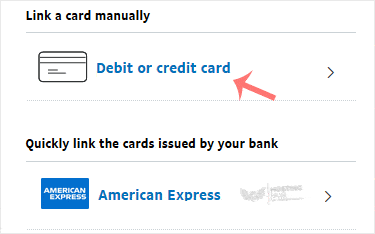
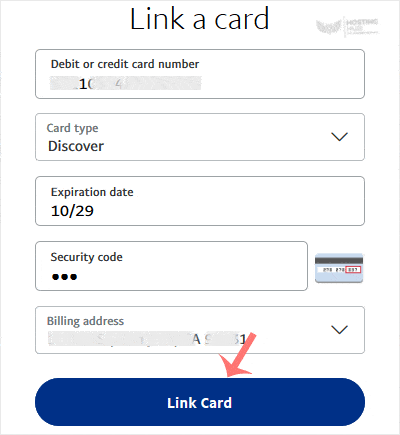
5. Enter your card details and then click on Link Card.
6. It may prompt you for card verification such as a one-time password or use available verification methods. After you complete it, your card will be added successfully.
